
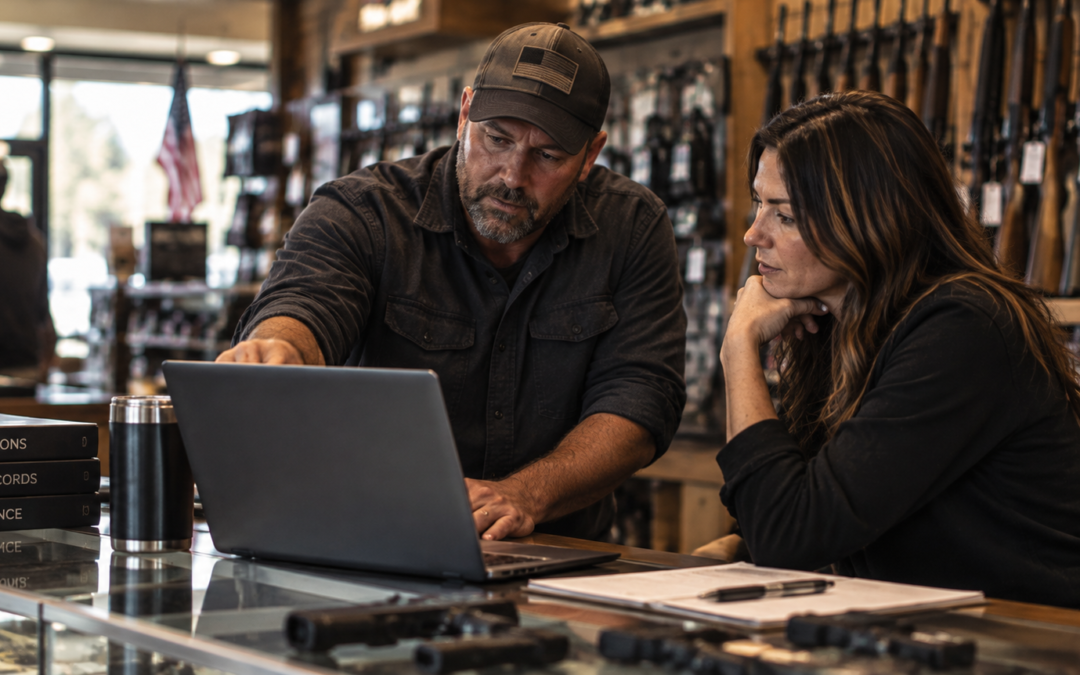
Every POS demo is built to show you what the software does well. Your job in that hour is to find out what it does badly. This post covers the questions that get you there, and the one rule that matters more than any of them.
Once you know what gun store POS software costs, the harder problem is comparing two quotes that are not describing the same thing. Feature lists will not settle it. Questions will.
The one rule that beats every question on this list
Make them show you, not tell you. Ask the salesperson to run the transaction on screen while you watch. A vendor who answers “yes, the system handles that” and moves on is telling you something, and it is worth more than the answer itself.
Bring these questions to every demo you sit through, including ours.
Compliance and the bound book
This is where software either saves you work or quietly creates it.
- Is the bound book part of the point of sale, or a separate system I keep in sync?
The answer determines whether your bound book updates as a result of selling, or as a second job someone has to remember to do. - Run a firearm sale on screen and show me every place the serial number gets entered.
Every retyping of a serial is a place a mistake can enter your records. Count them yourself rather than asking for a number. - How does the system handle a firearm that is in my shop but not mine to sell?
Transfers, customer storage, guns in for repair, and consignments are all normal, and they are where thin software runs out of room.
One note on how you read the answers. No software makes you compliant, and any vendor who says otherwise is overselling. Your obligations under ATF and state rules stay yours. What you are evaluating is whether the software helps you meet them or gets in the way, and what your own counsel thinks of the answer.
The counter transaction
Your staff will run these every day. Speed and clarity here outweigh almost any feature list.
- Run one complete firearm sale, start to finish, without skipping ahead.
Demos usually jump between highlights. The full path is where you see the real number of steps. - Show me taking money now and delivering the firearm later.
Deposits, holds, and delayed pickups are routine, and how the system treats the firearm in the meantime is worth understanding. - Take in a used firearm as a trade-in, then again as a consignment.
These are different transactions with different money attached, and some systems only really handle one. - What happens if the internet goes down during business hours?
Ask specifically what you can and cannot do at the counter, and how transactions catch up afterward.
Range and gunsmithing
Skip this section if you run neither. If you run either, it is often where systems differ most.
- Are range management and gunsmithing part of this product, or separate products I buy alongside it?
The difference shows up in your bill and in whether the two halves share customer records. - Can one customer record show me a person’s range visits, retail purchases, and gunsmithing work?
This is the practical test of whether a system is genuinely one system. - Show me a gunsmithing ticket from intake through parts, labor, and customer pickup.
Bench work sits in your shop for weeks, and tracking status is most of the job.
Integrations and where your data moves
Ask about integrations by name. General answers hide a lot.
- Which of these are built, supported integrations today: FastBound, LeadsOnline, Otter, ShipStation, WooCommerce?
“We can look into that” and “that is available now” are very different answers. Ask which release it shipped in. - When an integration stops working, who do I call, and who fixes it?
Integrations break. What you are buying is who owns the problem when they do. - If I leave in three years, what data can I take with me, and in what format?
A vendor who has thought about this will answer plainly. Hesitation is the signal.
What you can see as the owner
You are buying visibility into your own business, not just a cash register.
- Show me yesterday’s numbers without exporting anything to a spreadsheet.
If the demo reaches for Excel, that is your answer. - Walk me through closing out at the end of the day.
This happens every single night, so a clumsy close costs you all year.
Switching, support, and your first 90 days
The demo is the easy part. This section is where buyers get surprised.
- Who converts my existing data, and exactly what comes across?
Get specifics on inventory, customers, open orders, and history, because the answer differs for each. - What happens to my existing bound book records during the switch?
This is the question to ask slowly and write the answer down. - How long does cutover take, and do I have to close or run reduced hours?
A day of lost sales is a real cost that belongs in your comparison. - When I call support, who picks up, and do they know firearms retail?
Generic retail support cannot help with a bound book question at 4pm on a Saturday. - Give me the full cost: license, terminals, users, integrations, processing, support, and training.
Ask for it in writing, as a monthly and an annual figure.
Questions that do not have one right answer
Be suspicious of any vendor, including us, who tells you these have a single correct answer.
- Cloud or on-premise?
It depends on your internet reliability, your comfort with hosting, and how you want to handle backups. Both are legitimate. - One system for everything, or the best individual tool for each job?
One system means less retyping and one place to call. Separate tools can each be stronger alone. Which wins depends on how much your data actually moves between them. - Is the biggest vendor the safest choice?
Scale can mean stability, or it can mean you are a small account. Ask how many stores your size they support and request a reference at that size.
How to run the demo
The questions work better if the demo is set up to let them work.
- Bring your counter staff. The person who will use the software all day notices things an owner will not.
- Ask what the software does not do well. Every honest vendor has an answer, and the ones who claim otherwise are worth less of your time.
- Ask for a reference from a store your size that has been live for at least a year, then actually call them.
- Take the same notes for every vendor so you are comparing the same things afterward.
Take the full checklist into your next demo
The questions above are the ones we would ask first. The complete version runs nearly 40 questions across compliance, the counter, range and gunsmithing, integrations, reporting, and switching, organized so you can mark the sections that apply to your store and skip the ones that do not.
Where AIM fits
AIM is complete firearm operations software for FFL retailers and ranges. Point of Sale, Financial Management, Gunsmithing, and Range Management are part of one system, and AIM integrates with FastBound, LeadsOnline, Otter, ShipStation, WooCommerce, and Active-e.
We would rather you ask us these questions than take our word for anything. Bring the checklist to a demo and make us work through it with you.
Book a demo or call (515) 581-7201.
This post is intended to help you evaluate software. It is not legal advice, and it does not describe your obligations under ATF or state rules. Those stay between you, your regulators, and your own counsel.